There are 2 ways to upgrade to Volume Control+, you can do so via a standalone paid download or an in-app upgrade.
How to restore the stand-alone paid app
If you purchased the standalone paid app, then you can re-download it via your app store. In the Play Store app on your phone, you can:
- Tap on your profile in the top right corner

- Tap on 'Manage apps and device'

- Tap on 'Manage'

- Scroll down to 'Volume Control +' and tap on it to install. If you do not see the app, check the not installed apps by tapping on the 'Installed' button.

For further assistance, view the Google help article here.
If you made an in-app upgrade, then you can restore your purchase through the free app.
How to restore an in-app upgrade
(use the shopping cart icon to manage your subscriptions and payments)
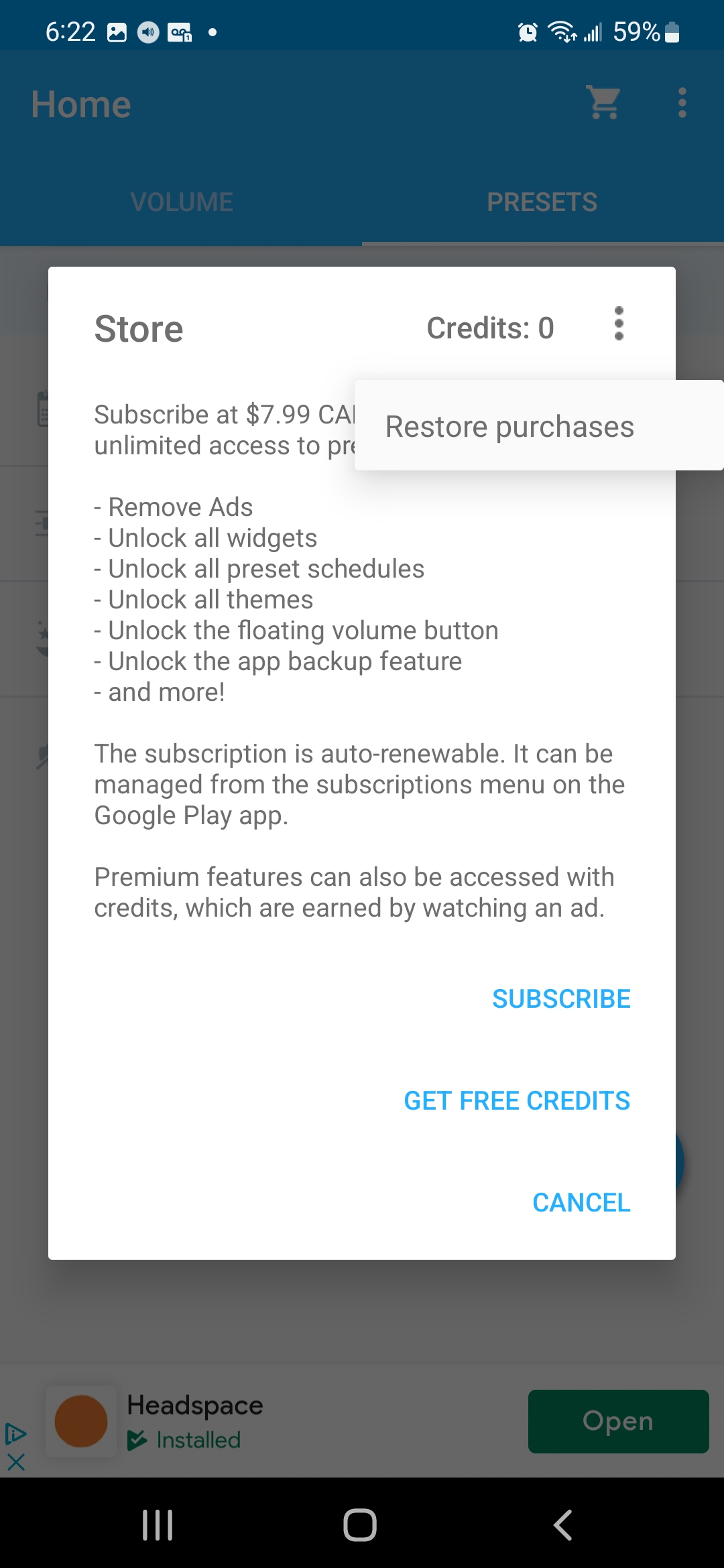
- Open the store on the free version of Volume Control by tapping on the shopping cart icon.

- Tap on the 3 dots at the top right for additional options

- Tap on "Restore purchases"

0 Comments